Documentation Menu
Streaming Availability
Saved a movie or show? Linkflare tells you where you can watch it — and whether it's already on one of the streaming services you pay for.
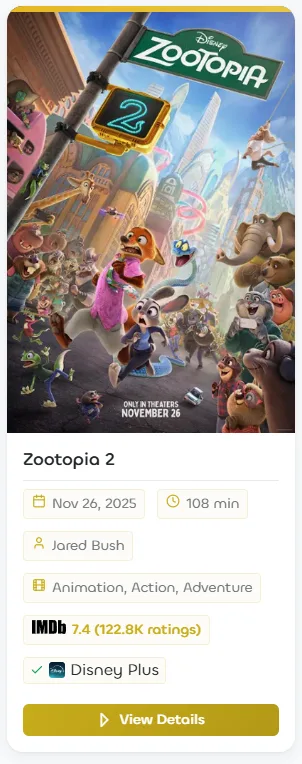
What it does
Every bookmark Linkflare recognizes as a Movie or TV show gets a small streaming badge, so you can tell at a glance where it's playing. If the title is available on a service you subscribe to, the badge turns green with a check mark (for example, "✓ Disney Plus" above). If it isn't on one of your services, the badge shows where it is streaming ("On Netflix"), or notes that it's only available to rent or buy.
Set your country and streaming services
Streaming catalogs differ by country and by which services you have, so Linkflare needs to know two things. Open Profile Settings (from the user menu) and find the Streaming section:
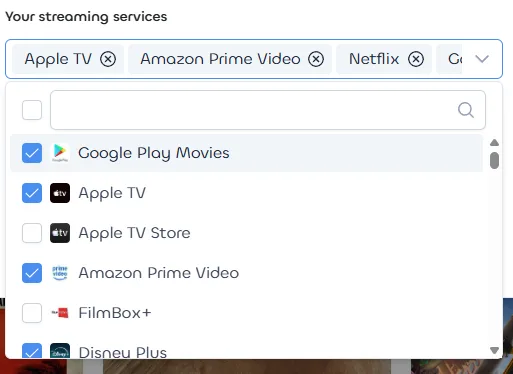
- Pick your country. Linkflare suggests one based on your browser, but you can change it to any supported country.
- Choose your streaming services. Tick every service you subscribe to (Netflix, Prime Video, Disney+, and so on). This is what turns the badge green for titles you can already watch.
You can change these anytime — the badges update instantly, with no need to re-save your bookmarks.
Where to watch
Open any movie or show (click the badge or View Details) to see the full breakdown — every way to watch it in your country, split into Stream, Rent, and Buy, with the services you subscribe to highlighted:
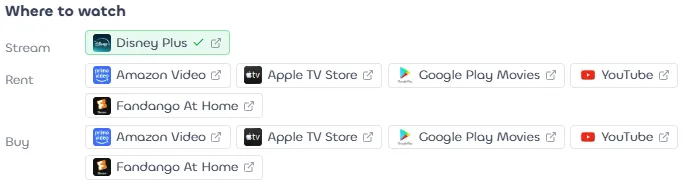
Click any provider to open its watch page in a new tab and continue on to Netflix, Prime Video, Disney+, and the rest.
Which bookmarks it works for
Streaming availability appears only on bookmarks of type Movie and TV show. Linkflare detects these automatically when you save from sites like IMDb, TMDB, or a streaming service — see Bookmark Types for how detection works. Availability is fetched in the background when you save a new title, and refreshed automatically as catalogs change.
Prefer a cleaner card? You can hide the badge anytime from View Settings by turning off Streaming Availability.
Your services stay private
Which services you subscribe to and where a title is available for you is personal, so it's shown only in your own logged-in app. Streaming badges never appear on public or shared collections, nor on embedded ones.
Free for everyone
Streaming Availability is included on every plan — no Pro subscription required. Streaming data is provided by JustWatch.