The Ultimate Recipe Saver: Organize and Find Every Recipe
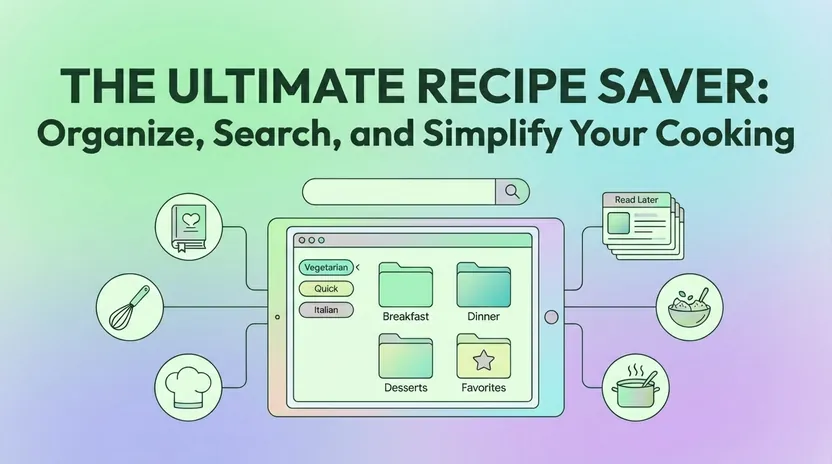
There’s a TikTok video you saved three months ago with the perfect one-pot pasta, and you can’t remember if it’s in your camera roll, your browser bookmarks, or that note app you stopped using. Your grandmother’s handwritten pie crust recipe is photographed somewhere on your phone, probably between screenshots of memes and grocery receipts. And that Bon Appétit link you texted yourself is buried in a message thread you will never scroll back to.
Most of us collect meals from Instagram Reels, Pinterest boards, food blogs drowning in ads, YouTube tutorials, and family cookbooks held together with tape. But collecting isn’t the same as cooking. Without a system, those recipes become digital clutter that never makes it to the dinner table.
Linkflare turns that pile into a searchable recipe saver. It is a universal bookmark manager, so recipes sit in the same place as videos, books, articles, and travel spots. When you save a recipe from any website, Linkflare extracts it, and the spoonacular recipe API fills in nutritional data, step-by-step instructions, and metadata like cuisine type, diet compatibility, and allergy flags.
This guide covers importing from any source, organizing what you save, planning the week, reading the nutrition for each day, and sharing with friends and family. For setup instructions, see the recipe management documentation and the meal planning guide. You can also export any recipe as a PDF to share, print, or read offline.
Your Personal Digital Cookbook in Linkflare
That 2012 lasagna from your aunt’s email, the viral baked feta pasta from 2021, the weeknight chicken thighs you bookmarked last Tuesday: they all land in one collection instead of scattered across apps, browsers, and screenshots.
You can import from several kinds of source:
- Popular recipe sites: Paste any URL from NYT Cooking, Allrecipes, BBC Good Food, Serious Eats, Bon Appétit, or thousands of other websites. Linkflare fetches the page and extracts a clean recipe card.
- Social media links: Save Pinterest pins and Instagram posts that link to recipe pages. Linkflare parses the original source for ingredients and directions.
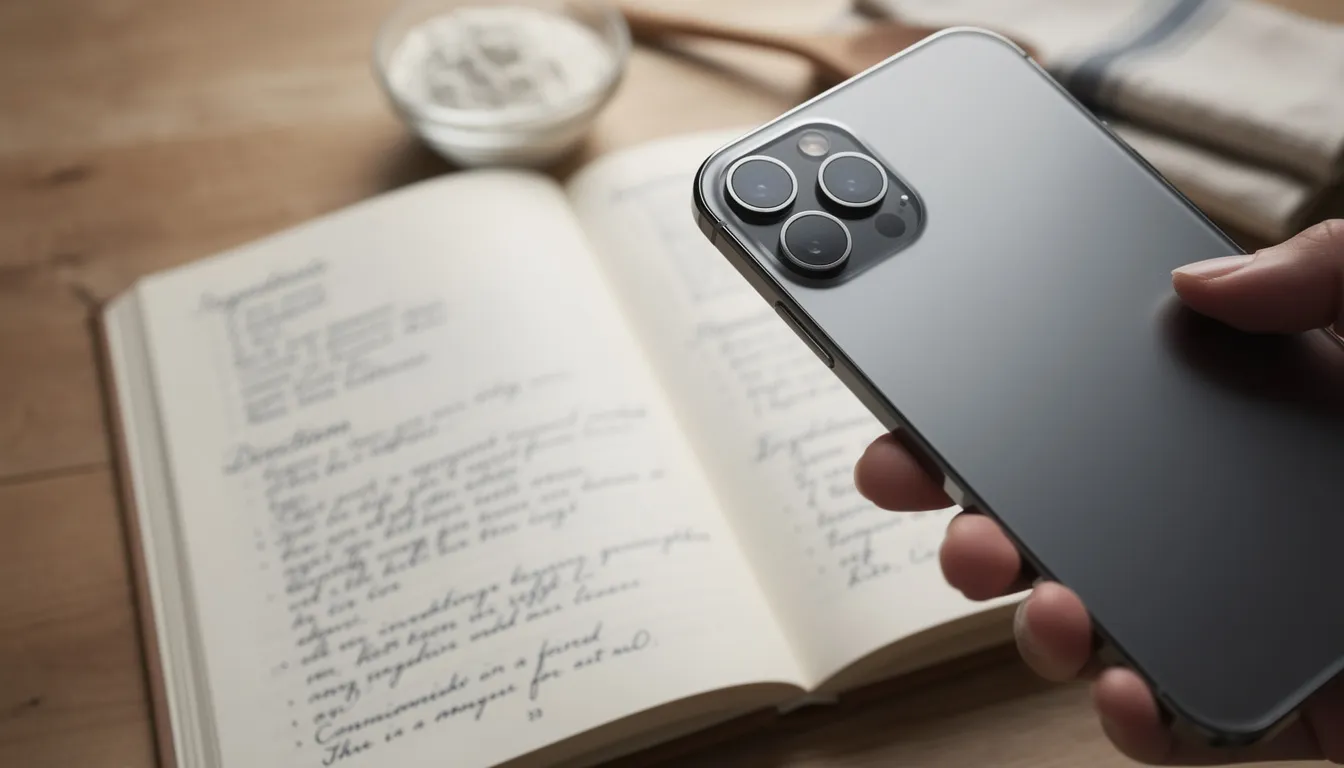
- Physical recipes: Snap a photo of handwritten cards, cookbook pages, or magazine clippings. Linkflare processes the image to extract text you can edit and organize.
You can also type in your own recipes and edit them alongside the imported ones.
When you save a recipe, Linkflare strips away the life story, pop-up ads, and autoplay videos that clutter most food blogs. What you get is a card with the title, cover photo, ingredients, and cooking steps.
All your recipes live in a single “Recipes” collection by default, and you can add sub-collections to suit your cooking style. Some people organize by category, like “Weeknight Dinners” or “Holiday 2026.” Others skip folders entirely and filter by tags for a diet or a favorite meal.
Smart Recipe Import: From Any Page, Video, or Photo
Linkflare can save recipes from thousands of popular recipe websites, powered by the spoonacular recipe API. Instead of storing the URL, Linkflare pulls the structured recipe data out of the page.
Four ways to get a recipe in:
- Browser extension: Install the Linkflare extension for Chrome, Safari, or Firefox. When you land on a recipe page, click the extension icon to save instantly. The recipe appears in your collection within seconds.
- Mobile share sheet: On iOS and Android, use the native share button from any app. Select Linkflare as the target, and the recipe imports without leaving your current screen.
- Desktop paste: Copy a URL and paste it into Linkflare’s web app. The system auto-fetches recipe details including cook time, servings, and cuisine tags.
- Photo upload: Take a picture of a cookbook page, handwritten card, or magazine recipe. Linkflare extracts the text so you can edit recipe ingredients and steps into a searchable format.
Video is different. YouTube tutorials, TikTok recipes, and Instagram Reels carry no structured data, so you can:
- Save the video link into your collection for easy playback later
- Add timestamps and notes (like “sauce starts at 02:14”) to reconstruct the steps
- Manually add ingredients while watching in Linkflare’s distraction-free view
When spoonacular can parse a recipe page, Linkflare auto-fills servings, cook time, cuisine, and diet tags (vegan, keto, gluten-free, and more), so you type none of it yourself.
Deep Recipe Details: Nutrition, Allergies, and Cooking Steps
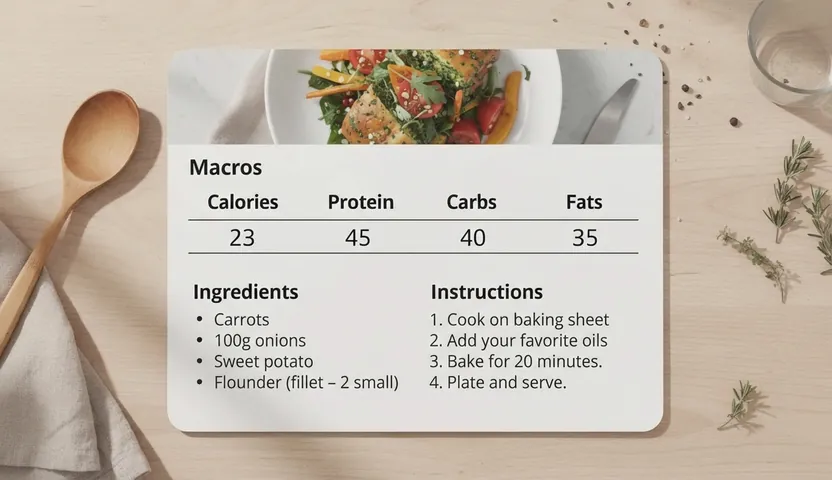
Linkflare analyzes every saved recipe in the background against spoonacular’s database. When you open a recipe card, you’ll see:
- A full ingredient list with normalized quantities (no more guessing what “a splash” means)
- Step-by-step instructions broken into clear stages instead of a wall of text
- Per-serving nutritional data including calories, protein, carbs, fats, and fiber
Linkflare also auto-detects metadata that helps you filter and search later:
- Cuisine: Italian, Mexican, Japanese, Thai, and dozens more
- Meal type: Breakfast, lunch, dinner, snack, dessert
- Diet compatibility: Vegetarian, vegan, low-carb, paleo, Whole30
- Allergy flags: Peanuts, shellfish, lactose, gluten, tree nuts (when detectable)
Save a “One-Pan Lemon Chicken” recipe in March 2026 and you can see, before you start cooking, whether it fits your low-sodium diet or contains an allergen your family needs to avoid.
Serving size adjustments work automatically. If the original recipe feeds four but you’re cooking for two, change the serving number and watch ingredient amounts update. The nutritional estimates recalculate too, so you know exactly what you’re eating without doing math.
The recipe view puts this in a sidebar next to the instructions, as a short list rather than a full nutrition table.
Organizing Recipes: Tags, Folders, and Search Made Simple
Saving is the easy part. Finding the right recipe on a Wednesday evening is where most collections fall apart.
You can tag recipes by ingredient, course, cuisine, or by mood (“cozy,” “quick weeknight,” “impress the in-laws”), and group them into folders for meal plans, holiday menus, or “must-try” lists. Search covers everything you typed: an ingredient, a tag, or a note you left for yourself (“add more garlic next time!”).
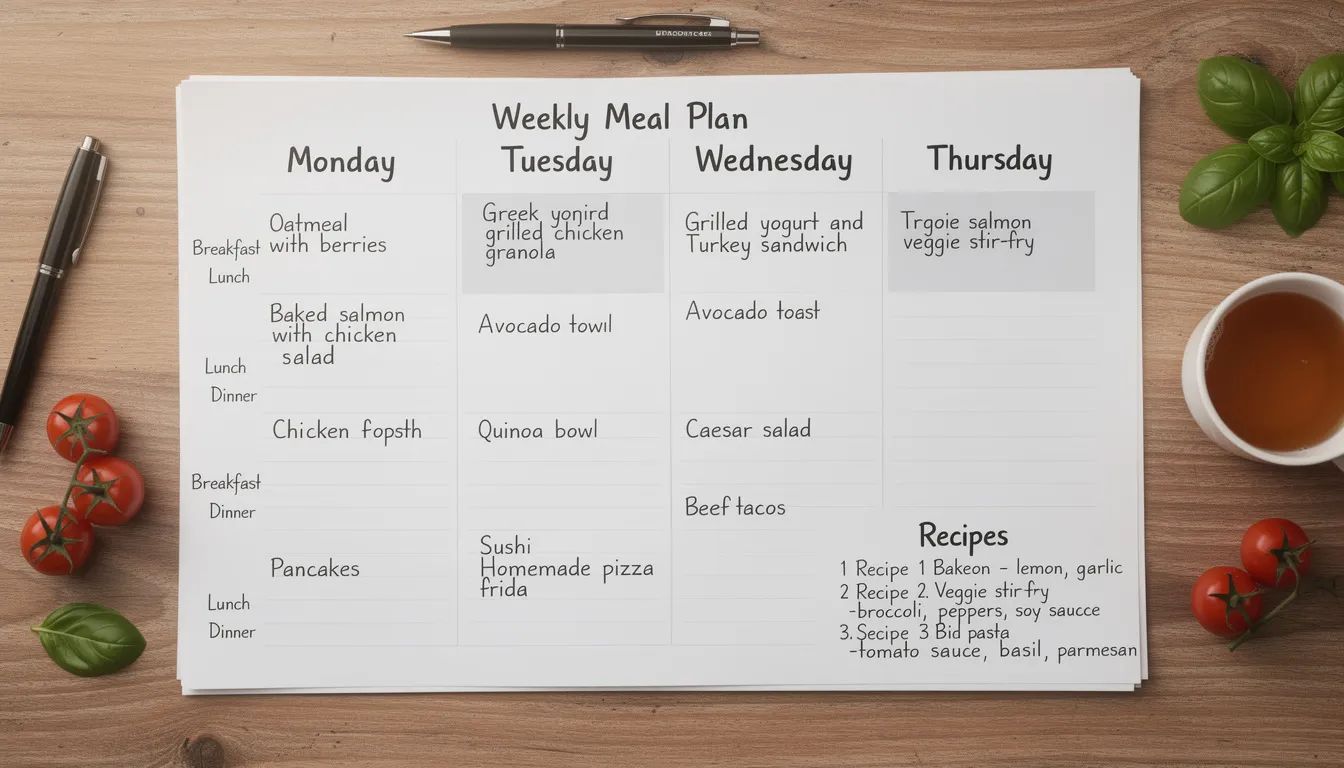
The meal planner pulls recipes into a weekly schedule that saves itself as you build it. There is no combined shopping list: each recipe on the plan keeps the ingredient list Linkflare extracted when you saved it, so you open a day and read off what it needs.
Each recipe holds your own photos and notes, so the substitution that made a dish work is stored with the dish. Everything syncs across phone, tablet, and computer.
You can send a single recipe to a friend, post a dish to Instagram, Facebook, or YouTube, or share a whole cookbook with images and directions.
There are also advanced search filters and ad-free browsing, plus a paid upgrade for people managing large collections.
Weekly & Monthly Meal Planning With Recipes
Linkflare’s meal planner turns your collection into a schedule with dates on it.
The planner has weekly and monthly views:
- Calendar layout: Drag-and-drop recipes into specific days and meals: breakfast, lunch, dinner, or snacks
- Color-coded tags: Visual indicators for diet types (green for vegetarian nights, blue for seafood) help you balance your week
- Flexible slots: Leave some meals blank for leftovers or eating out; the planner doesn’t force rigid structure
What a finished week gives you:
- Nothing to save. The plan writes itself to your account every time you add or remove a recipe
- An ingredient list per recipe, the one Linkflare extracted when you saved it, so a day’s shopping is whatever that day’s recipes call for
- A nutrition summary under each date, covering macros and, where the recipe data carries them, micronutrients, so you can see if the week is balanced before you cook it
Planning ahead cuts impulse purchases and food waste, because you shop against meals you have already decided to cook.
For step-by-step setup, visit the meal planning documentation. It covers creating your first plan, syncing with household members, and customizing notification reminders.
Share, Collaborate, and Preserve Family Recipes
Linkflare shares recipes with friends, partners, or a whole family planning meals together.
Sharing options include:
- Public or unlisted links: Generate a shareable URL for any recipe and send it via email, iMessage, WhatsApp, or Facebook. Recipients see a clean recipe card without needing a Linkflare account.
- Collaborative collections: Create shared folders where multiple people can add and edit recipes. Perfect for households planning meals together or friend groups organizing potlucks.
- Read-only access: Share a collection without giving edit permissions. Great for sending a curated “Holiday Desserts” list to family members who just need to browse.
One example: your family creates a “Family Holiday Cookbook 2026” collection. Each sibling adds a recipe, mom’s pie, dad’s stuffing, your sister’s cranberry sauce. Everyone sees the additions as they happen, and you open the collection again every November.
Privacy controls let you decide what stays personal. Keep copyrighted recipes or experimental failures private, and keep links back to the original sources on the dishes you do share.
Recipe Saver That Works Everywhere (And Offline)
Linkflare is a Progressive Web App (PWA), which means it runs in modern browsers on Windows, macOS, Linux, iOS, Android, and tablets without separate app store downloads. One web address works across all your devices.
Installed, it behaves like a native app:
- Mobile: Tap “Add to Home Screen” on iOS or Android for a dedicated icon and full-screen view
- Desktop: Install via Chrome or Edge for a standalone window separate from your browser tabs
Offline access keeps recipes available even when connectivity drops:
- Recently opened recipes cache locally, so you can cook in kitchens with weak Wi-Fi
- Edit notes or check off ingredients offline; changes sync when you reconnect
- No more losing your place mid-recipe because the page refreshed
Data syncs across devices in real time. Plan Thursday’s dinner on your computer during lunch, and the plan is on your phone by the time you walk into the kitchen. Add a recipe from your tablet, and it shows up on your partner’s account if you share collections.
Why Linkflare Beats Single-Purpose Recipe Apps
Most recipe apps put you in a silo: recipes here, articles there, videos somewhere else. In Linkflare, recipes sit next to travel guides, books, and articles, under one search bar and one set of tags.
What that buys you over a dedicated recipe saver:
- Smart classification: Content automatically sorts into “Watch,” “Read,” and “Play” queues. Cooking videos land in Watch; blog recipes go to Read. You never sort them yourself.
- Unified tagging: Apply the same tags across all content types. Tag a recipe "Italian" and a travel bookmark "Rome", then search either tag to plan a themed week.
- Distraction-free reading: Open any recipe blog in Linkflare's clean reader mode. Ads, autoplay videos, and pop-ups disappear. Ingredients and directions stay.
- Nutrition and allergen data: Thanks to spoonacular, saved recipes carry nutrition, allergen, and diet data that a manual clipper only gets through typing.
Linkflare can replace several apps at once: your bookmark manager, your recipe box, and your meal planner, and the free version covers all three.
If you like to organize, Linkflare also has notes, custom tags by category, and collection hierarchies. Some of the advanced features need a subscription.
Getting Started: Save Your First Recipe in Under 2 Minutes
It takes about two minutes:
- Create a free account at linkflare.io
- Install the browser extension or set up the mobile share target from your account settings
- Save your first recipe from a popular site like Allrecipes or Serious Eats by clicking the Linkflare button
- Open the new recipe in Linkflare to see ingredients, steps, nutrition, and tags automatically populated
- Add to a collection or drag into a meal plan to schedule your week
For a deeper walkthrough, including photos of cookbooks and handwritten family recipes, see the recipe management documentation.
Your next favorite meal is already saved somewhere. Linkflare is where you go to find it again.
📖 Related guide: Best Recipe Organizer App 2026. See how Linkflare works as a complete recipe manager with extraction, meal planning, and more.
🍽️ Coming from Mealime? Its shutdown date is 21 October 2026, and Mealime says all personal data goes with it. Here is how to get your recipes out and where to put them.
Ready to simplify your cooking?
Join thousands of users who have transformed their kitchen chaos into calm.
Start Saving Recipes for FreeFrequently Asked Questions
What is a recipe saver app?
A recipe saver app is a dedicated tool for capturing, organizing, and cooking from recipes collected across the web, social media, photos, and cookbooks. Unlike browser bookmarks, a good recipe saver extracts the ingredients and steps, tags recipes by cuisine or diet, and lets you search by ingredient so you can cook with what you already have in the fridge.
Can you save recipes from TikTok, Instagram, and YouTube?
Yes. Modern recipe savers like Linkflare accept a shared link or video URL and extract the recipe from captions, on-screen text, or the video description. The ingredients and steps are pulled into a clean, structured view so you never have to scrub through a video looking for a measurement.
How do I save handwritten or cookbook recipes?
Upload a photo of the page and the app runs OCR (optical character recognition) to turn it into searchable text. Linkflare then structures it as a regular recipe with ingredients, steps, and notes, so your grandmother's pie crust recipe lives in the same library as a Bon Appétit link.
Can I search recipes by ingredients I already have?
Yes. Because recipe savers index the full text of every recipe, you can type in "chicken + lemon + rosemary" and instantly see every saved recipe that uses those ingredients. This is one of the biggest wins over plain bookmarks, which only search titles.
Does a recipe saver work offline?
Good ones do. Linkflare archives the full recipe content when you save it, so you can cook from a saved recipe even if your kitchen Wi-Fi drops or the original site goes down, which happens to small food blogs often enough to matter.
Can I plan meals and build shopping lists?
Half of it. Linkflare's meal planner turns saved recipes into a weekly plan that saves itself as you go, and each day carries a nutrition summary covering macros, plus micronutrients when the recipe data has them. It does not merge a week of recipes into one shopping list. Every recipe on the plan keeps its own extracted ingredient list, so you shop from the recipes themselves.
Is it free to save recipes?
Yes. Linkflare's free tier includes recipe saving, extraction, tags, and search. Advanced features like meal planning, larger archive storage, and extra automations are part of the Pro plan.
Keep Reading
The Best Read It Later Apps in 2026
Save articles, videos, and PDFs for distraction-free reading across all your devices.
Best Bookmark Managers in 2026
Compare the top tools for organizing your links, research, and digital collections.
Introducing Linkflare: The Universal Bookmark Manager
See how Linkflare handles recipes, travel, reading lists, and more in one place.
Best Chrome New Tab Page Extensions in 2026
Turn every new tab into a productivity dashboard with bookmarks, tasks, and more.