Documentation Menu
Sharing
Linkflare allows you to share your curated lists with anyone.
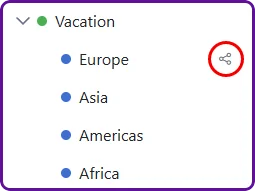
Sharing Collections
You can make any collection public and share the link.
Use Case: Birthday Wishlist
Imagine your birthday is coming up. You've created a collection called "Wishlist" and added products from Amazon, Steam, and other stores.
- Go to your "Wishlist" collection.
- Click the Share button in the header.
- Toggle Public Access to ON.
- Copy the link and send it to your friends.
Your friends can view the collection without needing a Linkflare account.
Sharing Saved Searches
You can also share Saved Searches. This is powerful for sharing dynamic lists.
Use Case: Book Recommendations
You have a Saved Search for "Type: Book" AND "Tag: Recommended" AND "Rating: Thumbs Up".
Share this search, and your friends will always see your latest recommended books, automatically updated as you add and rate new ones.