Documentation Menu
Reader Mode
Enjoy a clean, distraction-free reading experience for all your saved articles.
Distraction Free Reading
Similar to services like Pocket or Instapaper, Linkflare strips away ads, popups, and cluttered sidebars from articles.
When you open a bookmark of type Article, simply click the "Read" button to enter Reader Mode.
Note: This feature is only available for bookmarks identified as Articles.
Offline Availability
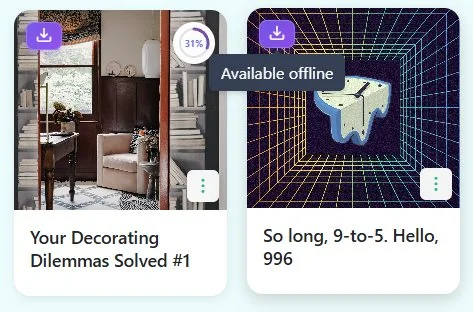
All articles are downloaded to your device once you open them. This means you can read them even when you don't have an internet connection, like on a plane or subway.
Reading Progress
Linkflare automatically remembers your scroll position. If you stop reading halfway through, you can pick up exactly where you left off later.
We also show a progress bar indicating how much of the article you have read.