Documentation Menu
Feeds
Follow your favorite blogs, newsletters, and YouTube channels directly within Linkflare.
Subscribing to a Feed
Instead of visiting multiple websites every day, you can subscribe to their RSS or Atom feeds.
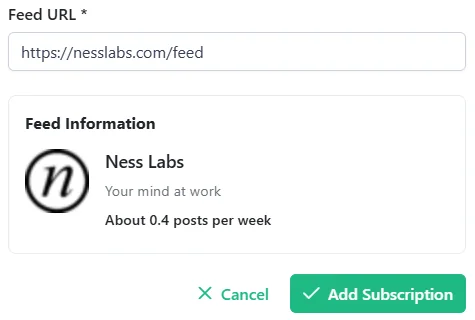
- Go to the Manage Feeds section in the sidebar.
- Click Add Feed Subscription.
- Enter the URL of the feed URL.
- Linkflare will find the feed and show you a preview.
- Click Subscribe.
How it Works
Once subscribed, Linkflare will periodically check for new posts.
- New Posts: New articles or videos will automatically appear in your Inbox.
- Read Later: Since they are in your inbox, you can process them just like any other bookmark (read, edit, delete).
Use Cases
- Newsletters: Subscribe to Substack newsletters.
- YouTube Channels: Subscribe to a channel to get new videos in your inbox.
- Blogs: Keep up with your favorite writers.